Voice recorder for iPhone

Press record.
That’s it.

A tactile recorder with live levels, a big easy-to-read timer, and a slide that scrubs through a long recording like a tape deck.

Free to record, play and mark. Pro is a one-time $3.99.

Nothing in your way

Your recordings stay yours.

Everything happens on your iPhone. Recordings stay there, or in your own iCloud if you choose. Transcripts are made on the device too, so nothing is sent anywhere.

Scrub

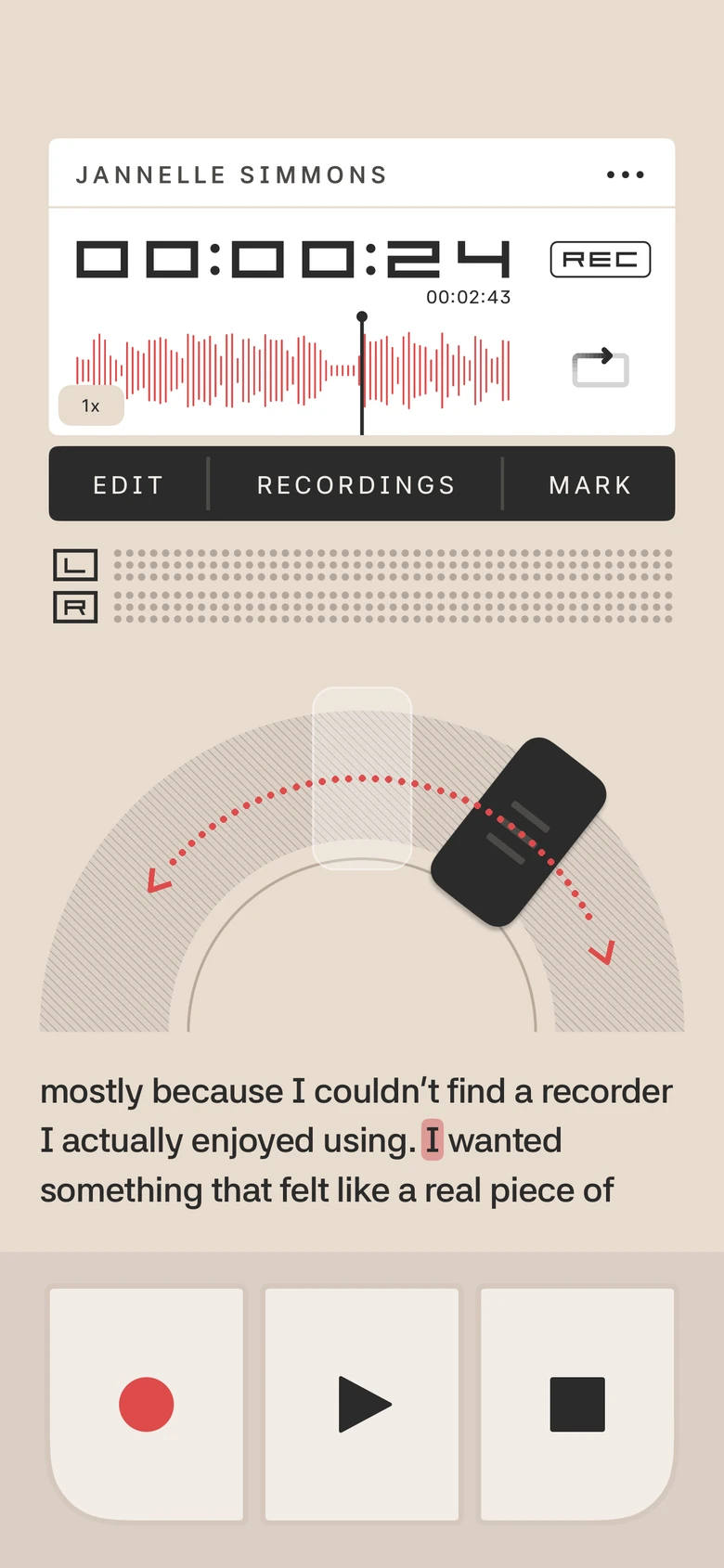
Scrub with a slide.

Nudge the handle for precision. Slide it further to fly through a long recording. Let go and it springs home. No skip buttons, no tiny sliders to chase.

  • Drag the waveform to scrub one-to-one
  • Speed from 0.5× to 2×
  • Loop the whole recording, or just the part between two marks
The scrubber handle being dragged around the half-circle dial, with red arrows showing the direction.

Follow along

Every word, right on cue.

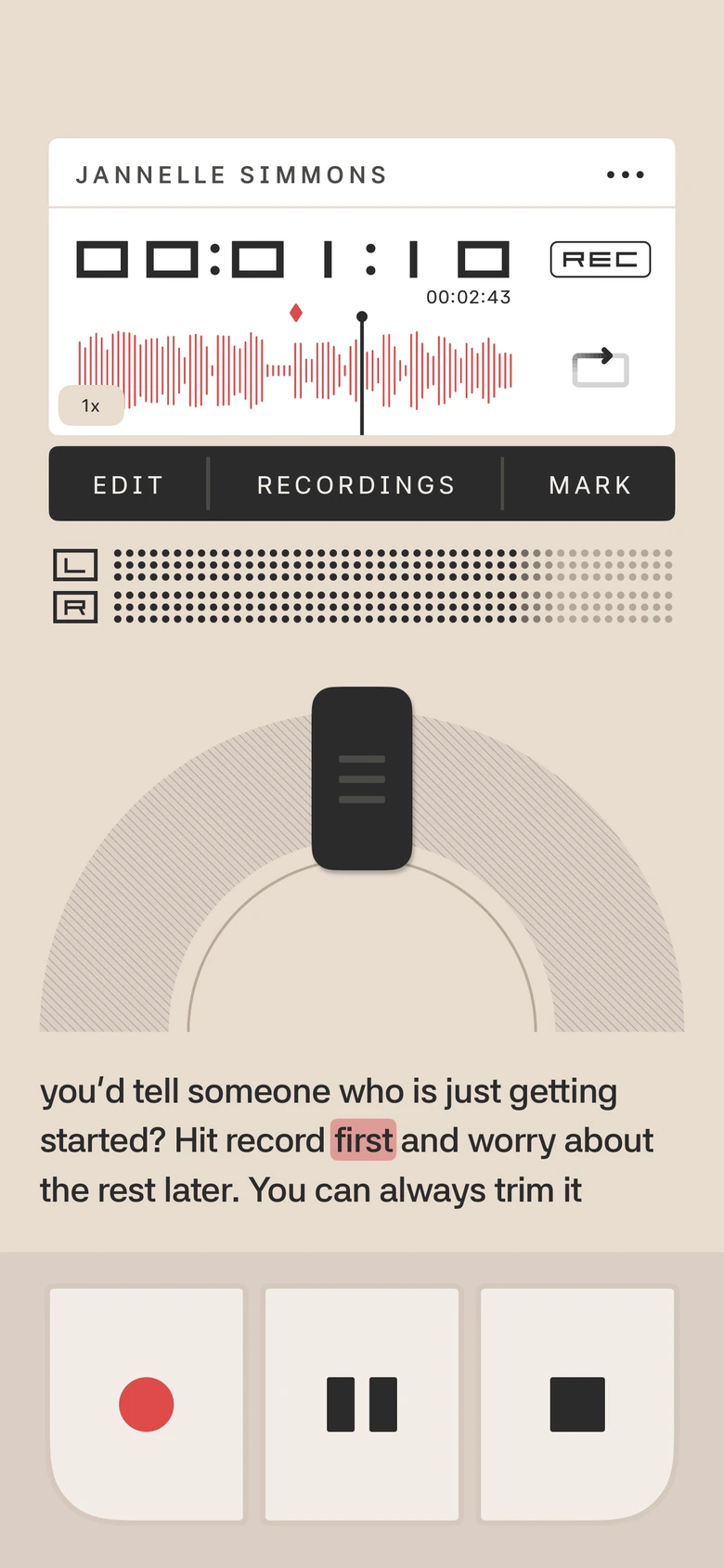
Three lines of words sit right under the dial. While you record they appear as you speak. Play a transcribed recording, or scrub the slide, and the word being said lights up.

  • Live words while you record are free
  • Words during playback come from the transcript (Pro, iOS 26 or later)
  • Everything is worked out on your iPhone
The home screen playing back, with three lines of words under the dial and one word highlighted in pink.

Marks

Mark what matters.

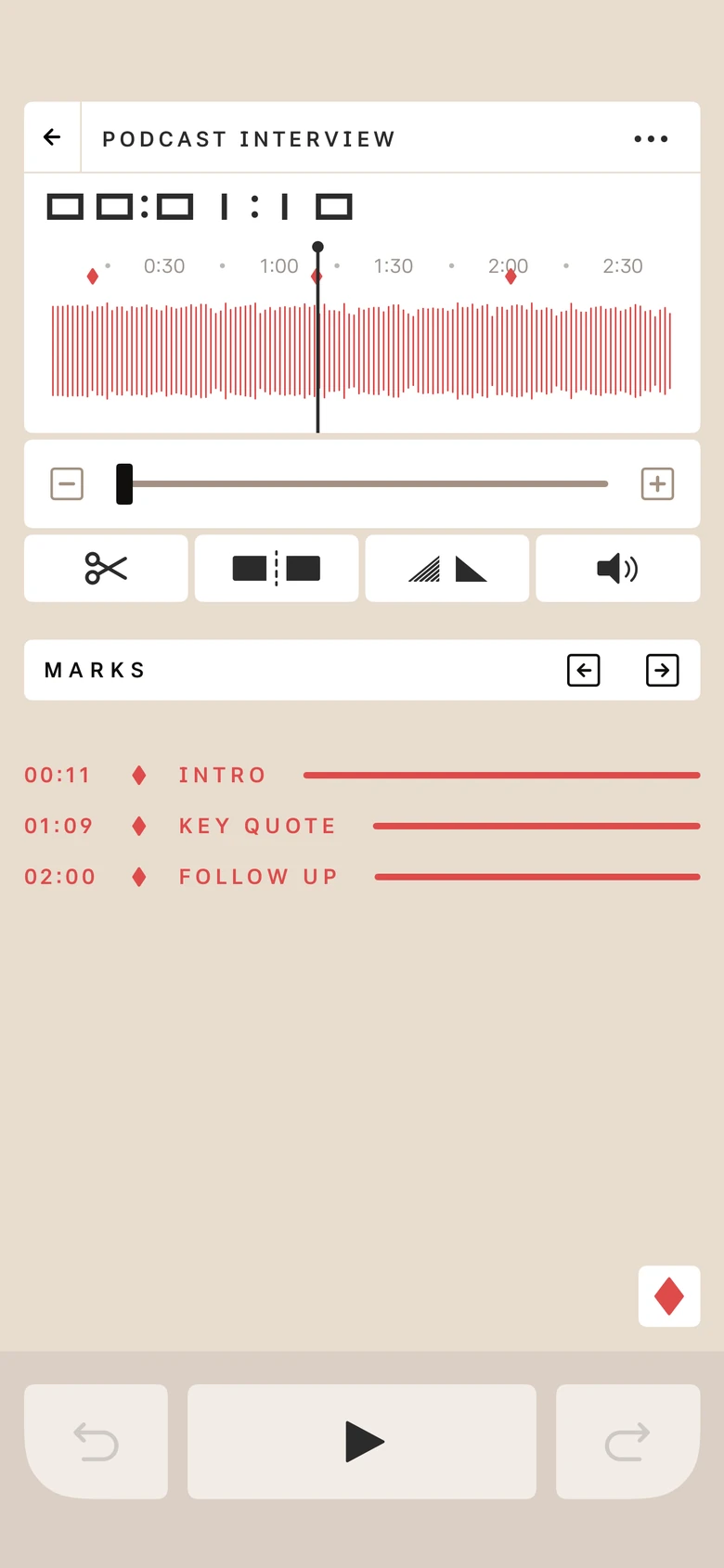
Tap MARK while you record or listen, then jump straight back to it. Add a short note to any mark so you remember why it mattered.

  • Search finds marks, titles and spoken words
  • Step to the next or previous mark in one tap
The editor with a list of marks: Intro, Key Quote and Follow Up, each with a time.

Transcripts · Pro

Words, written for you.

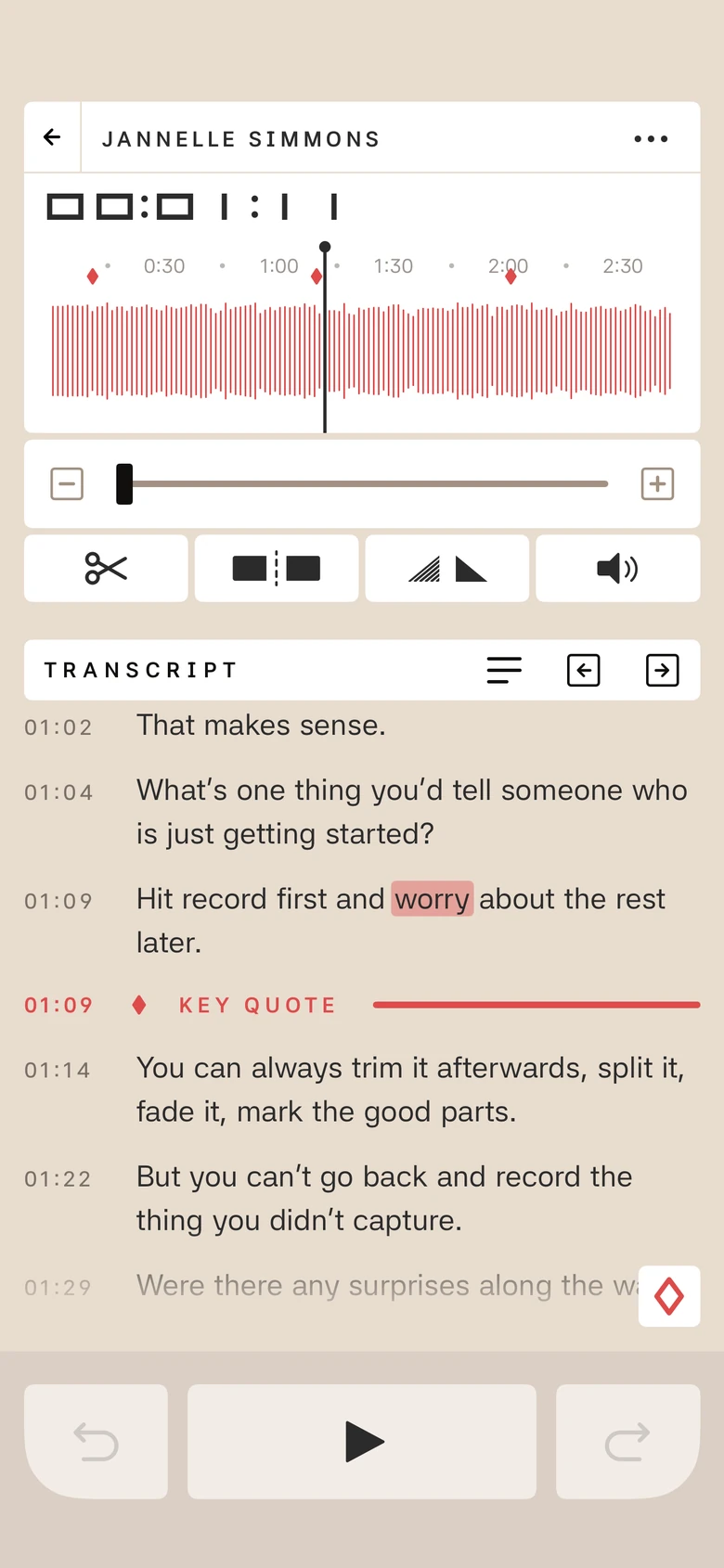
Read along as you record or play back. Tap any word to jump to it. Export as PDF, text or Markdown.

  • Made on your iPhone with Apple’s speech recognition, so nothing leaves the phone
  • New recordings can name themselves from their first words
  • Needs iOS 26 or later
A transcript with timestamps, a red Mark 1 divider and the word being played highlighted.

Editing · Pro

Trim. Split. Fade. Done.

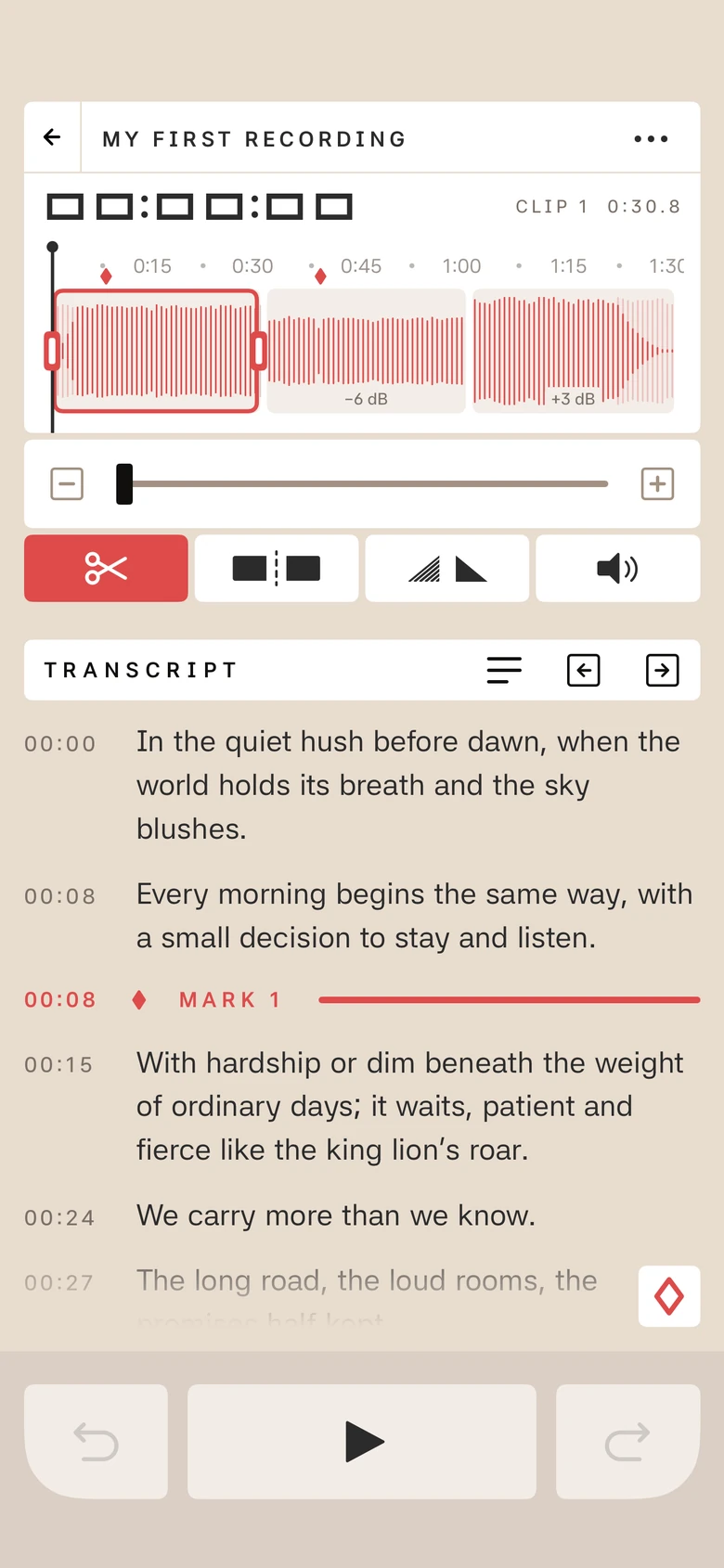
Clean up a recording right in the app. Edits never touch the original audio, so you can undo, redo, or revert whenever you like.

  • Trim, split, fade and set the volume of any clip
  • EQ with noise reduction
  • Tidy Up: match volumes, trim silence, remove long pauses
  • Export as m4a, wav or MP3
The editor with a trimmed clip selected in red and the Trim, Split, Fade and Volume tools below.

Editing · Pro

Split it. Keep the best part.

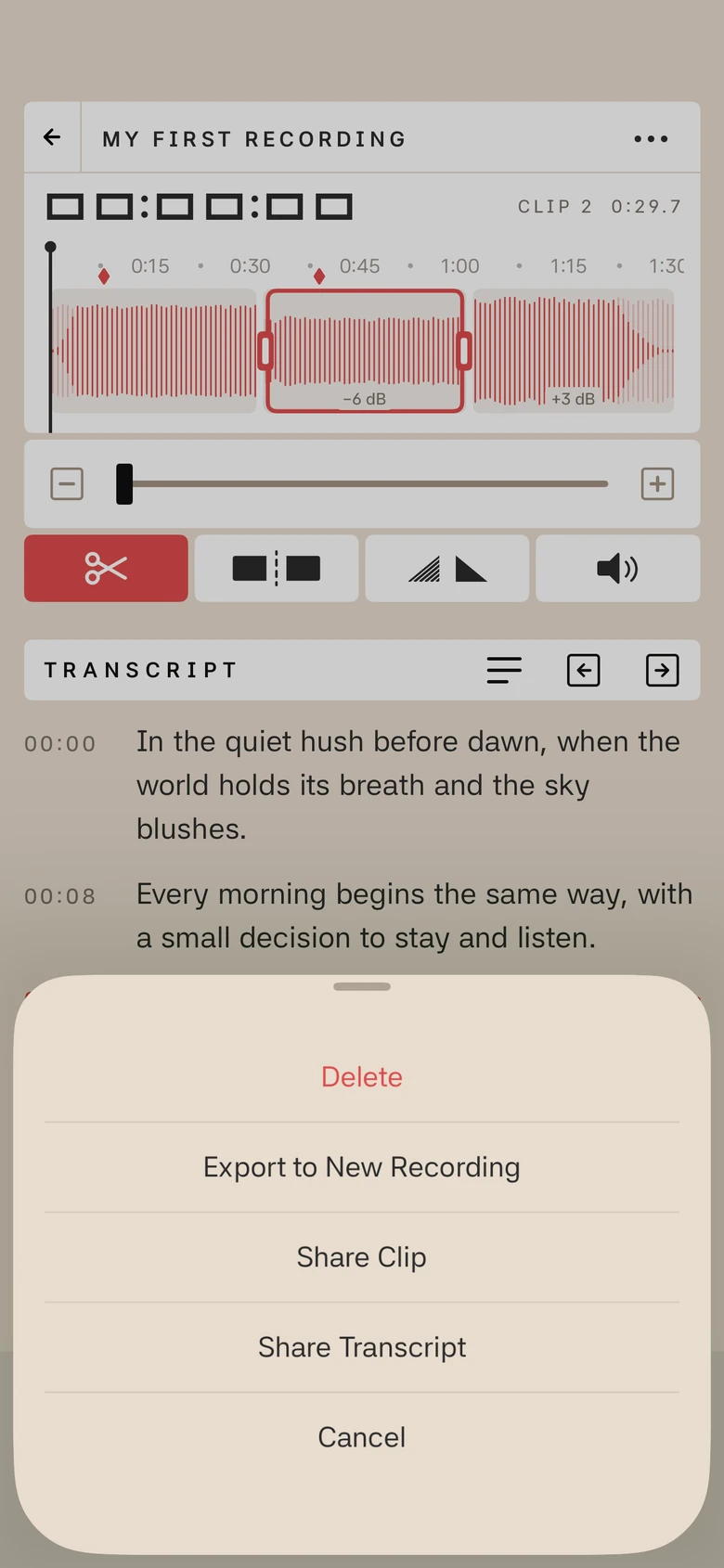
Turn any clip into a recording of its own. Split a recording, pick a clip and choose Export to New Recording. You name it, and you carry on editing the new one. The original stays just as it was.

  • Fades, volume and EQ come along, built into the new recording
  • So do the marks and words inside the clip
The clip menu open over the editor, with Export to New Recording, Share Clip and Share Transcript.

Import

Bring your own audio.

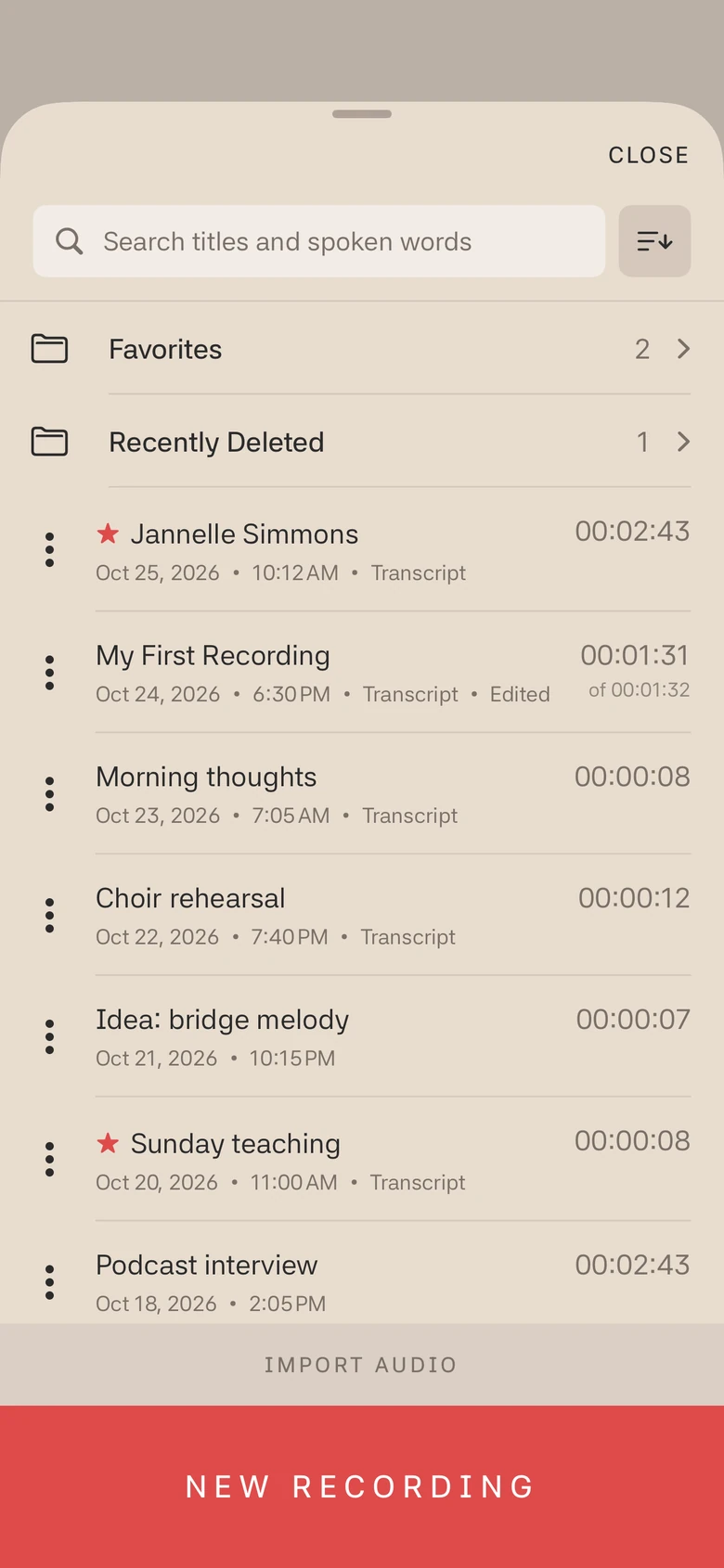
Pick audio from Files or iCloud Drive and it becomes a recording, ready to play, scrub, mark and edit. Add a transcript if you want to read along.

  • Works with m4a, MP3, WAV and more
  • Your original file is never changed
  • Importing is free; transcripts and editing are part of Pro
The Recordings list with Favorites and Recently Deleted folders, and an Import Audio button above New Recording.

Appearance

Light or dark. Your call.

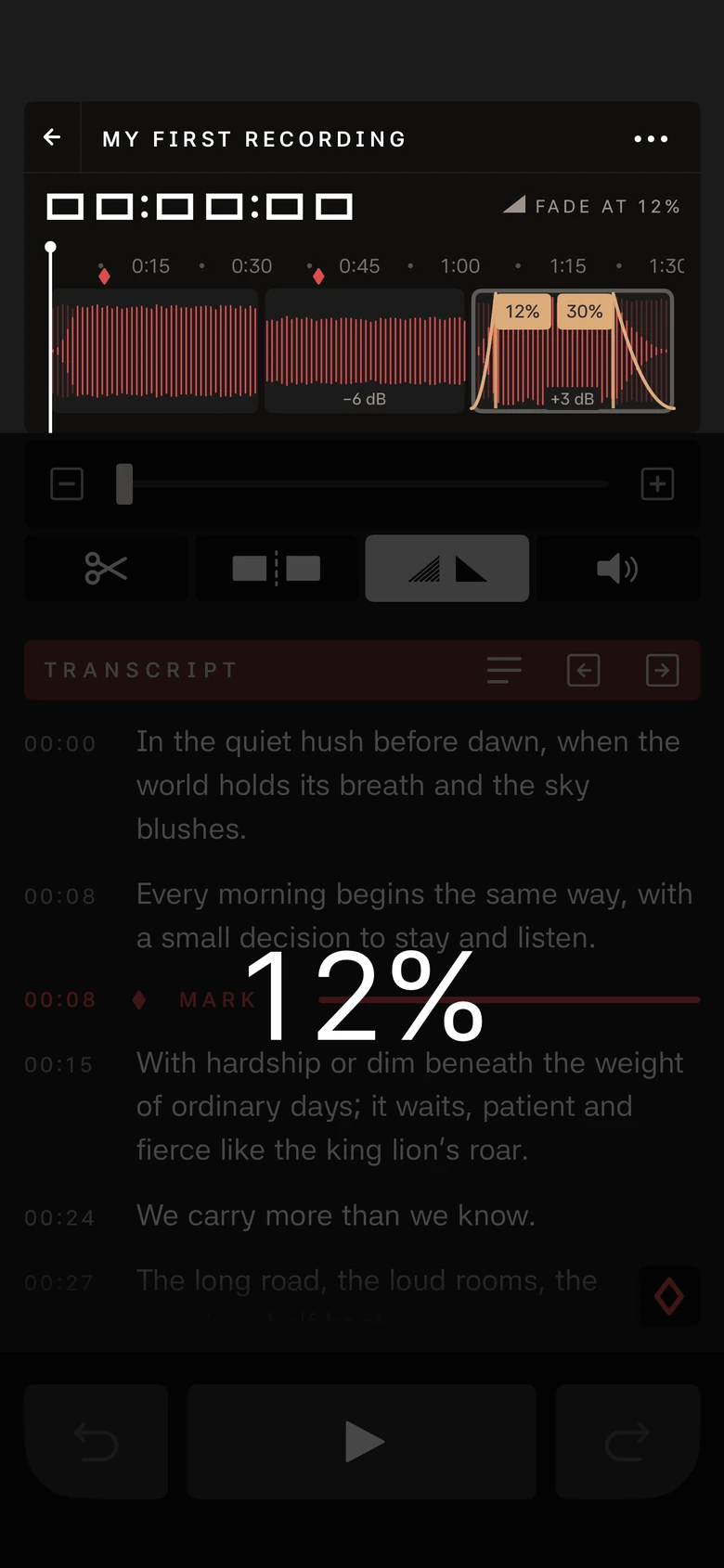
Switch themes any time to suit your room, day or night, or let the app follow your iPhone. Pick from six app icons too.

The editor in dark mode, with a fade being adjusted to 12 percent.

In motion

Thirty seconds, start to finish.

Record, scrub, read the words, trim and split, then switch to dark. Press play to see how it feels.

And a few more

Small things, done well.

Record over

Re-do just one part of a saved recording. Undo brings the old version back.

Counter

Count-in clicks before you record, at a tempo you set, and an option to keep the clicks going through headphones.

Live levels

Left and right channel meters while you record, and a big timer you can read from across the room.

Lock Screen and widgets

Start and stop recording from a widget, the Lock Screen or Control Center.

Library

Search, sort, Favorites and Recently Deleted folders, swipe actions, and 30 days to change your mind.

Optional iCloud

Save your recordings in your own iCloud Drive. Off until you switch it on.

Pricing

Free to record. Pay once for more.

No subscription, no account, no trial clock.

Free

$0

Forever

  • Recording and playback
  • The scrubber, speeds and loops
  • Marks and notes
  • The recordings library and search
  • Light and dark themes

Psalmist Pro

$3.99

One-time purchase

  • Transcripts, live and saved
  • Trim, split, fade and volume
  • EQ, noise reduction and Tidy Up
  • iCloud storage
  • PDF, text and Markdown export

The Psalmist Recorder

Press record. That’s it.

Download on theApp Store

Requires iPhone with iOS 18.6 or later. Transcription needs iOS 26.